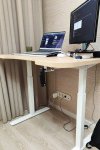
My Workspace

Веретенников Сергей

ОМ Шанти

Сергей Васильевич

Админ.
З.Клуб
О.Клуб
К+
Joined
Nov 21, 2019
Messages
6,970
Reaction score
128,929
Points
11
Age
55
Location
Орёл
💎VM
464,112.50
New country
🌐Единия
Enneatype
5 (?)
Gender
Male
Ashram resident
Yes
My workstation is most often in a constant state of experimentation. In other words, it is always changing.

By the way, I have already talked about this. Those who bought my course on vision read about it several years ago. And since then, my workstation has probably changed about twenty times.

So something is constantly changing, something is being removed, and something new is being purchased.

I will probably just list some things to make it clearer for you.

By the way, this article is not intended as a guide to action. I am simply describing my personal experience. Moreover, this experience is constantly changing because I always keep up with the times.

So, I have now switched almost completely to working remotely with a computer. These days, that is not difficult to do.

I have a wireless mouse, a wireless keyboard, and a wireless speaker.

By the way, wireless speakers are now very small and very good. This is for those looking for a way to expand their opportunities for enjoying audio and sound.

These small speakers have now become inexpensive. Not all of them, though. It is better to buy speakers from reputable manufacturers and global brands. You can literally count them on your fingers.

These small speakers can be paired. In other words, the left and right channels can be separated. And this becomes a full-fledged, high-quality sound system.

What is more, you can even take them with you when traveling. This is Much more pleasant than the sound of that same smartphone or laptop. Hundreds of times better.

So, nowadays everything can be wireless. Even the monitor.

Why do I try to distance myself from the computer? And from the monitor?

Well, first of all, as I have already said, my apartment is overflowing with all kinds of scientific measuring instruments. You already know this. You have read it more than once, because I have talked about it many times.

And in this case, I also have instruments that measure various electromagnetic waves.

Well, you all know that every electrical appliance emits an electromagnetic field and radiation. And all of this can be scientifically verified. In other words, these are not just unsubstantiated claims.

I simply bought an instrument and checked it.

And with the help of such instruments, you can determine how far away the computer should be from you so that it does not affect you with electromagnetic fields.

By the way, this is a very important thing. In other words, do not ignore it.

Therefore, the fact that everything I use is wireless allows me to place the computer at a considerable distance from my body.

Because a wireless mouse or keyboard does not emit such radiation. In other words, they are simply mobile devices, just like a phone, for example.

I am telling you right away that the computer emits an absolutely enormous amount of radiation.

But I recommend that you buy an instrument so that you can verify this for yourselves and stay at a place where there is no such radiation. Better yet, even sleep in a place where there is no such radiation.

And all of this can be checked with instruments.

For a while, I used a large television. In other words, I mounted it on the wall and thus moved literally two meters away, watching the television instead of a monitor.

Nowadays, there is this option: instead of an ordinary monitor, simply buy a large television for the same price.

I must say, the experience is much more pleasant with a television.

First, you can move far away from the television and continue working on it as you would on a monitor.

And the second point is that when you look at a very large screen—for example, to practice something esoteric or go through a meditation with visualization—the experience is completely different from that of a small laptop screen.

Therefore, if you have a large television and did not know that you could connect a computer to it, I am telling you about it now.

If you have a wireless mouse and keyboard, you can sit two meters away from the computer and television, which works as a monitor. This allows you to stay at a distance from electromagnetic radiation.

There is also the option of charging the laptop and unplugging the power cord. In other words, that is another option as well.

As soon as you unplug the cord from the laptop, it immediately and sharply reduces its electromagnetic radiation.

In principle, everything mobile emits a weak electromagnetic field. And Everything that is connected to a 220-volt power supply suddenly becomes a powerful electromagnetic-radiation emitter. This includes a monitor if it runs on 220 volts.

By the way, about the monitor.

You can also buy a monitor that runs on USB. In other words, it simply connects to USB.

There are also touchscreen monitors. This means you can use them like a tablet.

Thus, you do not need a keyboard or mouse. You simply have such a touchscreen monitor, which connects to your laptop’s USB port.

This way, the laptop can be somewhere about two meters away from you, while you sit, for example, in an armchair and work with such an unusual monitor.

In other words, this kind of monitor also emits very little harmful electromagnetic radiation.

And an important point: thanks to ChatGPT, you can now do practically everything by voice.

This is very important.

In other words, you are not staring at your laptop’s small monitor. Thus, your eyesight does not become strained, and you can complete a larger volume of work.

Literally, it can look like this.

You are wearing a lapel microphone, walking around the apartment, dictating some of your thoughts or giving commands, for example, to ChatGPT, and it carries them out.

In other words, you do not even look at the monitor. Or you look out the window, for example, or simply sit somewhere on a bench in a park. And you do everything by voice.

Yes, sometimes you may need to make an adjustment using the keyboard or mouse, but this is veryIt is rarely necessary to do this.

Well, I think that over time, absolutely everything will be done by voice only.

Moreover, for example, I used ChatGPT to create a program that controls a computer by voice.

So, if you are interested and familiar with artificial intelligence, you can take this idea.

Simply tell ChatGPT that you want to control a computer by voice.

For example, I can say, “Open the Chrome browser,” and it will open the Chrome browser. Or, “Close all windows,” “Open Notepad.”

In other words, I can open any program I frequently use simply by voice.

It is called a virtual assistant.

I instructed ChatGPT to create a virtual assistant and told it which words it should respond to. When I say these code words, one program or another opens.

Or, for example, when I am watching YouTube, I can say, “Skip forward 20 seconds,” and the cursor will move the video 20 seconds ahead. In other words, it rewinds or fast-forwards. All of this is done by voice.

For example, you can pause a video or turn the sound up or down.

For example, I do not need to do this by voice because my headphones are wireless too—wireless, by the way. They already have gestures that the headphones respond to. In other words, this function is built directly into the headphones.

My headphones also have a translator function. So, for example, you can listen to YouTube in any language, and the headphones will provide simultaneous translation.

Very convenient.

My mouse also has many buttons, and each button can be programmed.

For example, one button closes all the windows on my desktop. Another button, for instance, lets me switch between browser tabs, and so on.

This is even much faster than saying something aloud. In other words, you can assign a command to each button.

And this is already done at a subconscious level. It also greatly speeds up your work.

Basically, I also have a watch. It is fully connected to my smartphone.

I can answer calls, check the weather, monitor my pulse, keep track of various other things—in other words, calendar reminders.

Also very convenient.

Watches now have a great many functions. Often, you do not even need to reach for your phone to find something out quickly. Practically everything is already available on the watch.

Well, that is my current desktop setup.

As a rule, it is also connected with my own efficiency.

In other words, many people ask me how I manage to be so efficient.

Well, basically, it is not difficult.

When you start communicating with a computer by voice, your efficiency increases tenfold.

Just imagine: dictating a text of, say, one thousand characters can literally take only a few minutes—or perhaps even half a minute.

Typing it manually on a keyboard is considerably slower process. And there may be a great many typos in it.

But when you communicate with a computer by voice and dictate text, it corrects it immediately, and everything is written without errors.

In this topic, I was not trying to talk about artificial intelligence, although at present, of course, it is already significantly expanding the workspace itself and changing it.

And perhaps soon I will not even need a remote keyboard and mouse.

Because absolutely everything will be done by voice.
 

009988

О.Клуб
Рег.
Joined
Jun 16, 2022
Messages
609
Reaction score
2,526
Points
14
Age
43
Location
Россия
💎VM
1,667.50
Gender
Male
Ashram resident
Yes
There you have it—wonders up close. Gratitude, OM SHANTI, for sharing such wonderful ideas.
 

Веретенников Сергей

ОМ Шанти

Сергей Васильевич

Админ.
З.Клуб
О.Клуб
К+
Joined
Nov 21, 2019
Messages
6,970
Reaction score
128,929
Points
11
Age
55
Location
Орёл
💎VM
464,112.50
New country
🌐Единия
Enneatype
5 (?)
Gender
Male
Ashram resident
Yes
I’ll continue this topic. It seemed to me that you found it useful and interesting.

It is interesting for me as well because, essentially, I am simply describing it. Describing what happened to me.

For example, this is not the same as writing a practice. Although I often write practices exactly the same way—as descriptions of what happened to me.

And most often, when people talk about a workspace, they imagine something like the pictures below.

images (2).jpg 66bb3a39d0133ce6cc1de8032a2f8c0c.jpg images (1).jpg​

Nothing shown in these photographs has ever happened to me. Well, perhaps for a few years, when I was at school.

Most people would say that similar workspaces are what accompany them throughout their lives.

For example, I knew people—some of them I had known since childhood—whose desk looked roughly like this when they were children. Then, after them, a younger sister would sit at it. Then, for example, the sister’s children. And so desks like these seem to last forever.

That was never the case for me.

First of all, as you know, I have not always lived in Oryol. Before that, my childhood was spent traveling. And, in principle, I still travel fairly often.

And in Oryol, where I live, everything is constantly changing and being experimented with as well.

I should say that I have also sat at some large, rather imposing desk. But For some reason, I have never liked a certain degree of stability in this area.

And, as you know, even scientists are now saying that it is very important to keep changing everything, because this makes your neurons flexible, especially their connections.

I think you have heard this idea more than once. And you could say that it is not merely an idea but a scientific fact, because scientists have already looked inside the brain. These neural connections can even be seen. They are even photographed. They really exist and change.

In other words, my plasticity is at a high level.

And right now, I have come to the conclusion that it is more convenient for me when my desk is a small table on wheels.

I will even include a photograph that roughly shows what my desk currently looks like.


Screenshot_1.jpg​


This is what my desk looks like.

This is not an advertisement. I am not even showcasing any particular company. As far as I know, many companies make similar tables. They are called coffee tables, bedside tables, or office tables. In fact, I do not think they are even called desks.

But this is exactly the kind I bought. It costs only a couple of thousand rubles. So if you decide to buy one, it is very inexpensive.

It is very light. For example, Ozon sends it in a small box, and you simply assemble it yourself.

What I like is that it is mobile. In other words, you can type something on the computer and move the table away fromyourself.

Above, I said that radiation comes from all electrical appliances. And you can move this little table away. For example, when you are thinking about something, you do not necessarily have to sit near a computer or another electrical appliance. You can simply roll it back.

A new thought comes to you—you can roll it back toward you again, write or type something, do some work, and roll it away again.

And this process is quite interesting. You are not in an enclosed space. Because when you sit on a chair at an ordinary desk, you immediately feel a sense of confined space.

But when you can roll the table to the left, to the right, or far forward, your space is no longer limited by anything.

Moreover, this table can be adjusted in height.

By the way, before this I had a different table—less reliable and less sturdy. It stood on just two supports, whereas now, as you can see in the picture, my table has four supports.

In the previous version, there was more free space inside. It was very light. In principle, you might consider that option as well. It was good too.

But at the moment, I like the fact that the new table also has two more shelves. You can put additional things there.

So you sit in the lotus position, and this table rolls freely. You can move it away and bring it closer again. Very convenient.

Or, for example, when you are charging your laptop and from it, as II already said that when the electromagnetic radiation is stronger, you can move the little table farther away from yourself at that moment.

Then, when the laptop has finished charging, you disconnect the charger—that is, unplug the cord—and it becomes safer for your health again.

By the way, since I have touched on the subject of radiation from devices again, many people are currently sitting with a phone that is connected to a charger.

I think you have already drawn your own conclusion that this is harmful. In other words, you should not use your phone while it is connected to a charger.

I know everyone has a crazy pace of life these days and nobody has any time. But it is better to do as I said.

When a mobile device is charging, keep it farther away from you. Once it is charged, you can even put your laptop on your lap if you feel like it.

Still, it is better to have a mobile table like this one as well.

As you can see, everything I have here is mobile right now: the table, keyboard, mouse, and speaker. And, accordingly, the phone, headphones, microphone, and laptop.

By the way, I usually have two laptops. One for work and another for travel. The one for travel is ultrathin and lightweight, of course.

And I always prefer Windows. In other words, I have never worked with any other computer system. Naturally, I do not count Android on my phone.

And I have never really used tablets.
 

2909

З.Клуб
О.Клуб
Рег.
ООН-1
Joined
Nov 19, 2020
Messages
202
Reaction score
2,939
Points
29
💎VM
601.50
New country
🌐Единия
Gender
Female
Ashram resident
Yes
Thank you, OM Shanti, for sharing something personal. I have long noticed in myself a desire to rearrange the furniture at home, choose new routes, and make my surroundings more comfortable. Also, special thanks for explaining the radiation emitted by technology. I learn about technological innovations from you, and it is interesting.
 

Веретенников Сергей

ОМ Шанти

Сергей Васильевич

Админ.
З.Клуб
О.Клуб
К+
Joined
Nov 21, 2019
Messages
6,970
Reaction score
128,929
Points
11
Age
55
Location
Орёл
💎VM
464,112.50
New country
🌐Единия
Enneatype
5 (?)
Gender
Male
Ashram resident
Yes
I will continue the discussion about the workplace.

Let me repeat once again that the efficiency of many people begins precisely with the proper organization of their workplace.

Why am I talking about efficiency? Because, essentially, this topic is my answer to the many questions about how I manage to be so efficient and how I manage to accomplish so many different things.

I am asked questions like these quite often. And now, in fact, I am answering them.

These days, many people work from home or combine working from home with working in an office or even at a factory, and so on. Their productivity largely depends on how conveniently and sensibly their workplace is organized.

But in this topic, I pay attention not only to efficiency, but also to health.

And here is another interesting observation that I would like to share with you.

When you sit at a desk and type on a laptop, its screen often begins to vibrate slightly. Much depends here on the desk itself. As a rule, desks are not heavy and sturdy enough to completely eliminate such vibrations.

And when you type, the vibration from the keyboard is transmitted to the screen.

As you know, reading in moving transport—for example, on a train, bus, or subway—can be tiring for the eyes. One reason is that the text is constantly moving in front of your eyes.

Something similar can happen when working atlaptop, when the screen slightly shakes with every keystroke.

During prolonged work, this can create additional discomfort and contribute to visual fatigue.

That is why, at one point, I solved this problem in a very simple way.

I started using two separate tables.

I have already mentioned one small table on wheels above. But I bought another one just like it.

Now I keep the keyboard and mouse on one table, and the monitor or laptop on the other.

Thus, when I type, the resulting vibration remains on the first table and is not transmitted at all to the second one, on which the screen is placed.

The screen remains stationary.

This makes working more comfortable and helps preserve eye comfort for longer.

Let me explain the arrangement once again.

In front of you are the two tables I mentioned above. The keyboard and mouse are on the first one, the one closer to you. The monitor or laptop is on the second, slightly farther away.

When you type, the first table may vibrate slightly, but this does not affect the screen in any way, since it is on a completely different table.

And here is one more addition.

I already told you in the Ashram about special laptop stands. With their help, a laptop can be positioned almost vertically, so that its screen is arranged similarly to that of a regular monitor.

Screenshot_1.jpg


It turns into a very convenient workspace.

Moreover, with this arrangement, the laptop can remain connected to the charger at all times while being positioned some distance away from you.

In other words, only the keyboard and mouse are directly in front of you. If desired, you can also use Bluetooth headphones or a small speaker.

Personally, I like this solution because it also allows me to keep the laptop, its power adapter, and the electromagnetic fields associated with them a little farther away from me.

Now I’ll share another useful habit.

I use a power bank—an external battery—very often.

For example, I have a 10,000 mAh power bank, which is enough for approximately three charges of my phone.

And I prefer not to use my phone while it is connected directly to the electrical mains.

Instead, I charge the power bank in advance and can place it somewhere to the side, away from my workspace.

Then, when my phone runs out of power, I simply connect it to the already charged power bank.

This means I don’t need to keep my phone plugged into a wall outlet at all while using it.

In principle, the same thing can be done with a laptop if necessary.

Of course, this requires a more powerful power bank capable of providing the laptop with the necessary power.

The principle remains the same: You charge the power bank separately, at some distance from yourself, and when the laptop runs out of power, connect it to this battery.

In this way, you can arrange things so that the devices you use directly are not connected to the electrical grid.

Personally, I find this approach very convenient and conducive to protecting one’s health.

Here are a few more small but, in my view, very useful ideas that you can apply when organizing your workspace.

After all, as I have already said, our effectiveness largely depends on how sensibly we arrange the most ordinary things that we use every day.
 

7371

З.Клуб
О.Клуб
Рег.
ДП-3
ОТГ-1
ОТГ-4
Ра-1
Ра-2
Ра-3
Ра-4
Ра-5
ООН-1
Род-1
КЭЙ
ДЭ
ФАН
Joined
Sep 7, 2020
Messages
303
Reaction score
5,247
Points
29
Age
59
Location
Сакартвело Тбилиси
💎VM
243.50
New country
🌐Единия
Gender
Female
Ashram resident
Yes
Academy training
KEY
Thank you, OM Shanti!
From your posts, it is clear that Great Effectiveness is not “born” great right away, but is built through a systematic, thoughtful approach precisely to the details—to the “most ordinary things” that we have grown accustomed to overlooking. Thank you for directing our attention to such important things in so many ways.
 
Last edited:

009988

О.Клуб
Рег.
Joined
Jun 16, 2022
Messages
609
Reaction score
2,526
Points
14
Age
43
Location
Россия
💎VM
1,667.50
Gender
Male
Ashram resident
Yes
Very important and useful information. Gratitude, OM SHANTI, for sharing your experience and for your willingness to share knowledge in various areas of life.
 

Веретенников Сергей

ОМ Шанти

Сергей Васильевич

Админ.
З.Клуб
О.Клуб
К+
Joined
Nov 21, 2019
Messages
6,970
Reaction score
128,929
Points
11
Age
55
Location
Орёл
💎VM
464,112.50
New country
🌐Единия
Enneatype
5 (?)
Gender
Male
Ashram resident
Yes
Today I will continue this topic. And this topic veers slightly toward health.

But in fact, I don’t think this topic is going in the wrong direction. Because these days, people who are engaged in business, work, or even creative pursuits that become work—or sometimes the other way around—all note that at a certain stage, or after several years, their health begins to depend heavily on what they do at their computer, at their workstation.

After all, quite a few people genuinely burn out at work. They do not even notice it themselves. And their relatives literally have to pull them out of this quagmire.

In other words, workaholism can take hold of a person very strongly. They always think that just one more day, just a little more work, will allow them to earn an amount of money that will satisfy them or their family.

But it is like the golden fish—such a time will never come. People who already earn millions of dollars are not satisfied either.

In other words, this process can go on forever.

But our lives do not last forever. And neither does our health.

So first and foremost, when you are working, for example, or engaged in some kind of creative activity, you always need to think about your health.

That is why the fact that I devote so much time to health is all part of the same area—the area of work.

And today I want to tell you about laptops.

Most often, people have laptops, but there are also desktop computers. And in those and others have fans, some kind of cooling system.

You probably know yourself that, for example, you can open the Chrome browser, play a video, and suddenly your computer starts making noises and humming.

Sometimes louder, sometimes quieter, and sometimes it simply sits there quietly, rustling, as they say.

And, of course, all computers are different. Some people have gaming computers with several fans built into a powerful cooling system. Others have simpler ones. And some have tablets with no fan-based cooling system at all.

By the way, it is more accurate to call these fans coolers.

And I will tell you that when this cooler spins, fine dust begins to appear in the air.

I told you about it many years ago. And those who study with me, of course, are already trying to protect their health and avoid the harm that fine dust can cause.

Those who do not study with me may not be doing this. And that is a shame.

So, vacuum cleaners and similar devices—in any place where these fans spin at high speed, including computers, laptops, and desktop computers—they can lift and spread fine dust.

This dust can penetrate deep into the lungs, since the smallest particles are not always trapped by our body's natural protective mechanisms.

If, for example, it is some kind of coarse dust, Dust from the road, or various fibers, hairs, feathers—just fragments, bits of soil—we have a mechanism for containing such dust.

For example, it settles on the mucous membranes and is then expelled.

Fine particulate matter can penetrate much deeper, with individual particles even entering the bloodstream. Some particles can remain in the body for a long time.

That is why we need to combat this dust.

And this fine particulate matter is often not natural in origin at all, but chemical. In other words, some plastic or synthetic materials, clothing that rubs against surfaces, after which the particles are also dispersed by air currents from coolers and fans.

For example, vacuum cleaners often have a filter. If everything is done correctly, this helps.

But if someone is sitting, for example, at a computer whose cooler is spinning insanely fast, they need to bear in mind that fine particulate matter may be present in the air, and they may be breathing it in.

This can partly be addressed by what I mentioned just above. In other words, move your computer, with its coolers, farther away from you.

And this brings us to what I have also been telling you for a long time.

In other words, your apartment should be well ventilated. People often do not air out their rooms.

For example, I have a fresh-air ventilator installed in my apartment. It constantly renews the air. In addition, I have an air purifier.

You can place this purifier literally right next to you, ornext to the computer or laptop, so that it can capture fine dust.

Ideally, you could even install an exhaust hood located near the computer.

You know, there are such enclosures in some factories that extract dust from the workstation. For example, an enclosure is placed next to a machine, and air is extracted through it.

You could make something similar, so that the air is drawn out by the purifier literally from the area around the cooler.

Water-based air purifiers also handle dust quite well. In other words, so-called air washers.

I told you about them on the “Your Yoga” website a long time ago. And, of course, being sensible people, you are already using them, preserving your own health and that of your relatives.

I am more than sure that you are sensible people and have been doing all this for a long time already.

An air humidifier is, of course, also important here.

I told you about this many years ago as well. And, of course, you are already doing this too. That is, you humidify the air, especially in winter and during cold periods, when the air becomes particularly dry.

Dust really likes dry air. Under certain conditions, humid air, on the other hand, helps it settle.

That is, when the humidity is sufficient, some dust particles find it more difficult to remain in the air for a long time. They can combine with moisture droplets and settle more quickly, for example, on the floor.

Accordingly, if the humidity in your apartment is sufficient, then you are also simplyRegularly do wet cleaning.

And an air purifier is, in my opinion, very important.

Because even if, for example, you use the same robot vacuum cleaner and rarely change its filter—or even if you change it regularly—that still may not be enough.

And when the vacuum cleaner is running, you probably notice some unusual air. It seems dusty, yet you cannot actually see any dust.

That is exactly what I am talking about: fine particulate matter.

It is very unpleasant when you can feel this dust but cannot see it.

And the smallest particles really can be invisible to the naked eye. Therefore, their danger is not always obvious.

Recently, at the Mahapurna School, I wrote to you in one of my posts about a special type of respirator. Essentially, they are almost gas masks.

But keep in mind that these are not the old-fashioned gas masks shown in films.

There are now very lightweight protective masks, respirators, and similar equipment.

So when you are cleaning, you can certainly wear respirators of this kind, particularly ones with a high level of protection. They can filter out fine particulate matter very effectively.

Or, for example, when you clean plumbing fixtures with some kind of chemical, use a suitable respirator with filters designed for the relevant substances.

So read my post about these respirators. I described one a few months ago.

It is multifunctional. And with the right selection of filters, it can protect against various hazardous substances.

If, for example, a chemical accident occurs, having suitable protective equipment may prove extremely important for preserving life and health.
 

891011

З.Клуб
О.Клуб
Рег.
ОТГ-1
ОТГ-2
ОТГ-3
ОТГ-4
Ра-1
Ра-2
Ра-3
Ра-4
Ра-5
ООН-1
Род-1
КЭЙ
ДЭ
ФА-1
М-СНОВ
ССА
Joined
Sep 11, 2020
Messages
110
Reaction score
626
Points
29
💎VM
142.00
Enneatype
5 (?)
Gender
Male
Ashram resident
Yes
OM Shanti, thank you for the useful information. Please tell me, what do you think is the best way to protect oneself from the harmful effects of Wi-Fi radiation, of which there is certainly a great deal around us nowadays? Or is it not dangerous, like an electromagnetic field?
 

Веретенников Сергей

ОМ Шанти

Сергей Васильевич

Админ.
З.Клуб
О.Клуб
К+
Joined
Nov 21, 2019
Messages
6,970
Reaction score
128,929
Points
11
Age
55
Location
Орёл
💎VM
464,112.50
New country
🌐Единия
Enneatype
5 (?)
Gender
Male
Ashram resident
Yes
Often, when people buy a computer, such as a laptop, they go to an online marketplace and see the same computer, but at different prices. One, for example, costs 40,000, while another costs 50,000.

And, accordingly, our Soviet-style logic most often works like this: how lucky I am to have found a cheaper option! So the person buys the cheaper option.

It is not difficult to assume that this is probably how many people currently make purchases on online marketplaces.

In other words, few people now go to a store and buy computer equipment with the help of a consultant. Although there are probably still some people who do.

It is now cheaper and much more convenient to shop on online marketplaces. What is more, you can read reviews there and watch reviews online.

So why did I start talking about this now?

Because laptops with the same name and model can now have different hardware. Primarily, they may have a weaker or more powerful processor and different amounts of memory.

And memory is what I want to draw your attention to now.

Most often, cheaper models may have 4 gigabytes. The most common option is 8 gigabytes, while less common options are 16 or even 32 gigabytes.

And how can an ordinary user notice this?

I’ll continue with YouTube as an example.

So, you go to YouTube and want to watch some terrific documentary a film where it is important for the picture quality to be good. And you select 1080 quality there, or even higher.

But your picture is stuttering. In other words, it is displayed in jerks.

You set it to, for example, 720 or 360—the picture runs smoothly. But when you want to watch in higher quality, it starts stuttering. And very badly, so much that it is impossible to watch.

And this may be a sign that your computer or laptop does not have enough memory. Although, of course, there may be other reasons as well.

Moreover, when the picture stutters like this, your cooling fan may start spinning wildly.

And, as you have already understood, this is a continuation of my previous message in the Mahapurna School thread.

I understand very well that most likely many people will not do what I talked about. In other words, extractor fans and air purifiers are not for everyone. Just kidding.

But this problem can be solved indirectly: by creating as little fine dust as possible.

And, by the way, you can add more memory yourself. You open the laptop, unscrew the screws, and insert an additional memory module. This is often possible if the laptop’s design allows it.

Or ask someone you know who can do it. Usually, it is quite a simple procedure.

I recently did this myself: opened it, inserted additional memory, and everything started working faster, stopped freezing, and the cooling fan spun less.

Well, I’m just giving this as an example.

In other words, you add more memory. It’s expensive. That’s why, actually, I started this message with that—with the price.

Of course, it’s easier to simply buy a laptop that already has an adequate amount of memory installed.

So, these days, I recommend choosing around 16 gigabytes of memory. Because 8 may already be too little. And if you have 4, I can imagine how much everything may be slowing down and heating up for you right now.

Therefore, if you add more memory, the computer may start working under less load, and the fan may run at full power less often.

Consequently, less dust will be stirred up by the airflows.

That’s one point.

The second point is that, of course, you can clean the laptop of all kinds of unnecessary software at the program level—things that launch in the background.

In other words, besides the programs you need, background programs from old applications that you installed may also start running.

And they all put a load on the computer. Accordingly, it starts heating up, the fan turns on, and the result is once again that same notorious fine dust, which can rise and spread throughout the room.

So, clean your computer.

There are programs, by the way, that you can install to help remove all kinds of junk from the computer and disable unnecessary background programs. Only the ones you actually need remain running.

And the computer stays quiet. In other words, it isn’t straining, It doesn’t heat up as much, the fan spins less, and therefore stirs up less dust—at least in large quantities.

This is the second method I’ve just told you about.

In other words, one method is using what is known as hardware, and the second is by software.

And there’s also a third way: cleaning the computer.

It turns out that you need to clean it periodically!

I say “it turns out” because for many people this is nonsense, a sensation.

“Really, it needs to be cleaned?”

You visit some people, and they don’t even know that this needs to be done.

In other words, inside, the computer turns into some kind of dump. Consequently, the fans become clogged with debris, so the computer heats up again because the cooling system can’t cope.

The fans start spinning even faster. And, accordingly, even more dust is stirred up by the air currents.

At this point, a double effect occurs, since dust has already accumulated on the fans. It can get back into the airflow and spread.

Therefore, when you clean your computer or laptop of ordinary dust, the amount of fine dust that can get into the air also decreases.

And, accordingly, there are various devices.

I have one like this. You plug this device into an outlet, while some models run on batteries. But I prefer one that plugs into an outlet.

You turn it on, and it blows very powerfully.

There are vacuum cleaners that draw air in. But this oneThe device produces a powerful stream of air.

And you direct this narrow, fine stream of air at places where dust accumulates.

That is, where the keys are, and where the openings are through which air from the coolers passes.

And all of it gets blown out.

This is very convenient because you do not need to take the computer apart as often. You simply blow out this debris. Of course, you need to do this carefully so as not to damage the fans or other components.

Accordingly, you put on the same respirator I already told you about—and which, of course, you are already using, because you are sensible people.

And here is some additional information that I am giving you today.

Today is November 27, 2026. I hope you will start doing this from now on.

And, of course, even though you will now have this tool for blowing out dust, you still need to take the computer apart periodically and clean the inside with a brush.

Because dust literally becomes embedded in the cooler blades themselves. In other words, it needs to be scraped off.

And, accordingly, when you scrape off the dust with this brush, you should also wear a respirator. Then air out the apartment thoroughly.

This way, you can significantly reduce the amount of dust that accumulates inside your computer and can spread throughout the apartment.

Because a computer can also be a source of dust spreading throughout a room, especially when it is heavily soiled.

And many people, as I have already said, keepthe computer right next to you.

In other words, not only did I advise you a little earlier to move the computer as far away from yourself as possible, but you also need to clean it.

It is also advisable to have extractor fans, air purifiers, and humidifiers.

In that case, you really will be taking much better care of your health.

And once again, I should clarify that it is precisely these small fans, which spin at very high speeds, that can actively stir up fine particulate dust.

This is because air purifiers also contain rotating blades, but they can rotate considerably more slowly.

At such a low speed, the air currents are usually much gentler.

And if you also use air washers, where the water essentially captures some of the dust, this further helps to purify the air.
 

Веретенников Сергей

ОМ Шанти

Сергей Васильевич

Админ.
З.Клуб
О.Клуб
К+
Joined
Nov 21, 2019
Messages
6,970
Reaction score
128,929
Points
11
Age
55
Location
Орёл
💎VM
464,112.50
New country
🌐Единия
Enneatype
5 (?)
Gender
Male
Ashram resident
Yes
891011 891011 ,

About twelve years ago, in my ashram, I created a thread about the effects of radiation from phones.

And now we can already see that, officially, people are prohibited from driving and talking on the phone at the same time. In other words, if a police officer sees someone driving and talking on the phone, they can be fined. Such laws already exist.

But of course, we were talking about mobile phones. In other words, they affect the brain. This has been proven. But here we are talking about being in close proximity to the source of the radiation.

I think that if you are near a router, you might consider moving it as far away from yourself as possible.

But returning to the topic we are currently discussing, I think that these computers, which are constantly charging and located close to the body, have an effect millions of times stronger than radiation from routers, from Wi-Fi.

In other words, the radiation from these computers is enormous. And from monitors as well. I mean devices that are connected to the electrical grid and operate on it.

And as for bombs exploding two kilometers away from you, the damage to your health could be even greater.

Therefore, against the backdrop of all these more complex and harmful things, a router with its Wi-Fi ends up somewhere at the very bottom in terms of harmfulness.

In other words, the Wi-Fi problem can be solved by eliminating it throughout the entire Earth, but at the same time, die from a bomb exploding somewhere nearby.

I think my message was clear.
 

Веретенников Сергей

ОМ Шанти

Сергей Васильевич

Админ.
З.Клуб
О.Клуб
К+
Joined
Nov 21, 2019
Messages
6,970
Reaction score
128,929
Points
11
Age
55
Location
Орёл
💎VM
464,112.50
New country
🌐Единия
Enneatype
5 (?)
Gender
Male
Ashram resident
Yes
By the way, scientists also conducted an experiment.

They took a group of subjects and showed them a film about the dangers of Wi-Fi.

The people watched the film, then were taken to another room and asked to focus on their sensations.

The subjects described what they felt, saying that they felt nothing and that they were feeling fine—normal, as usual.

Then ten routers were brought into the room. They were told that these were very powerful routers emitting Wi-Fi and that they would all be switched on.

Of course, they were not switched on. They were merely dummies. In fact, they were not even real routers, let alone switched on.

But the subjects were told that they would now be switched on. They were supposedly switched on.

They “worked” for ten minutes, while the people continued sitting in the room.

Then, after ten minutes, everyone was asked again what they felt.

Most of them said—some more, some less—that they had suddenly started feeling unwell.

Some even developed a headache. Some felt dizzy. Some wanted to run out of the room.

It was an experiment. A real experiment with real people.
 
Shoutbox
  1. No shouts have been posted yet.
Top Bottom